
Using the Times Grid
Using the Times Grid can be a good way to look for issues during your event. This can be a quick way to check to see if racers are getting times assigned for each timing point.
Times Grids are slightly different for Enduro’s and Linear Enduros, but in essence they are the same thing. Enduros will have separate Times Grids for each segment, but it will show all the racers, regardless of course group. Linear Enduros on the other hand split the racers into Times Grids by Course Groups that have all the Times Points listed.
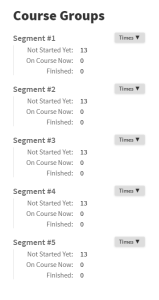
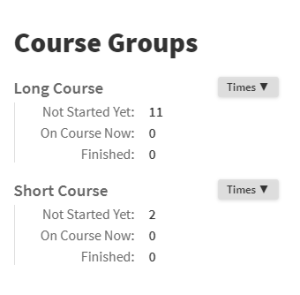
As racers pass the timing points, times will be assigned to them. In the Times Grids you can see all the assigned times for each racer. This can help you pinpoint racers locations, as well as missing times to make sure the racers get the proper results.


Times should come in as the race progress. In a Linear Enduro the columns will sort themselves based on the most recently received time. Look for holes in the data to see if there are any missed times you’ll need to sort out.
These windows will only show assigned times. Scroll down to “Timing Points” to see all the times those points have collected.

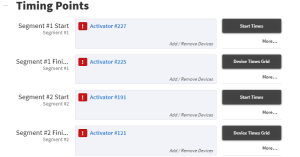
Clicking on the “Device Times Grid” button will open up a Times Grid window for that timing point. The first time you open it you will see a window allowing you to set Timing Device Accuracy and other options. Click save to accept the defaults. (These can be edited later if needed).

After you are past this window, you will see a list of all times that have been reported from this timing point. The left most columns show racer numbers and Racer Names that are associated with the times on the right. If the names and numbers are grey they are associated with the Racer, but not assigned. if they are black they are assigned. Times that are not associated with racers will be highlighted in red. Split indicates the split that the time is assigned to (for races that reuse timing points this is important!), “Assigned” is the time that is assigned to the racer. The right most column(s) will show the time(s) under the device that reported them.

Because this shows all times, and not just assigned times, and also shows times from multiple devices at a Timing Point, it can be very useful to help find missing times for racers.