
Setting up the Race
If you are familiar with Zone4 at all, you’ll find building a Linear Enduro to be straight forward and easy.

First we need to create a race file. Head to the event page and select “Set up Timing”. Fill in the relative information and select “Mountain Biking” and “Linear Enduro” as your Sport and Setup Template. Choose how to import your Racers and click “Create this Race”.

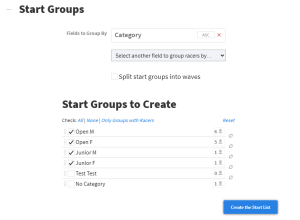
Once the race file is created, head to the Start List tab, and follow the steps to set up the Start List. Usually Enduros divide their start lists up by category. You can click and drag to reorder the Start Groups, but this will mostly be a display feature, or to help assign Racer Numbers.

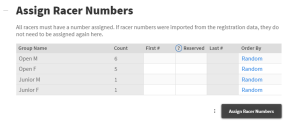
Like other races, you can either assign Racer Numbers for the whole race or for each group. Click the three dots to the left of the “Assign Racer Numbers” button to toggle between the setups. Some races have certain plate ranges for certain categories, so the “Set for Each Group” option can be very useful to ensure the correct plates are assigned.
Assign the Chips as usual, just type the identifying letter of your rack(s) into the field provided, then click “Assign Timing Chips”
Start times are pretty straight forward as well. You might have to set start times for each group, but for the most part all the racers will start around the same time. Just enter the time you will allow racers to start riding the course and click “Assign Start Times”.