
Assigning Start Times
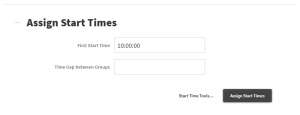
Assigning Start Times works very similar to how racer numbers are assigned. The base window is below. If every start group starts at once, enter the start time in the field provided.
If you would like more control over the group start times, click “Start Time Tools…” and select “Set for Each Group”.
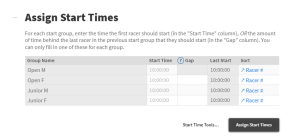
Any grey numbers are Zone4’s defaults. If you change a time, those below will update to match. You can also set a “Gap” to the right, which the the Time Gap between the start time of the group in line with you and the group before them.
You can only enter a Start Time OR a Gap.
Then Click Assign Start Times, and the times will be applied.