A full ranking page for venue screens, breaks in camera coverage, and final results.
Available in: Lite · Standard · Premium
Set it up
- Select the Result Set and the Result Group (or Heat).
- Choose the Crossing and how times are shown.
- Add Racer Fields and drag them into order.
- Check the pages in the preview, then publish.
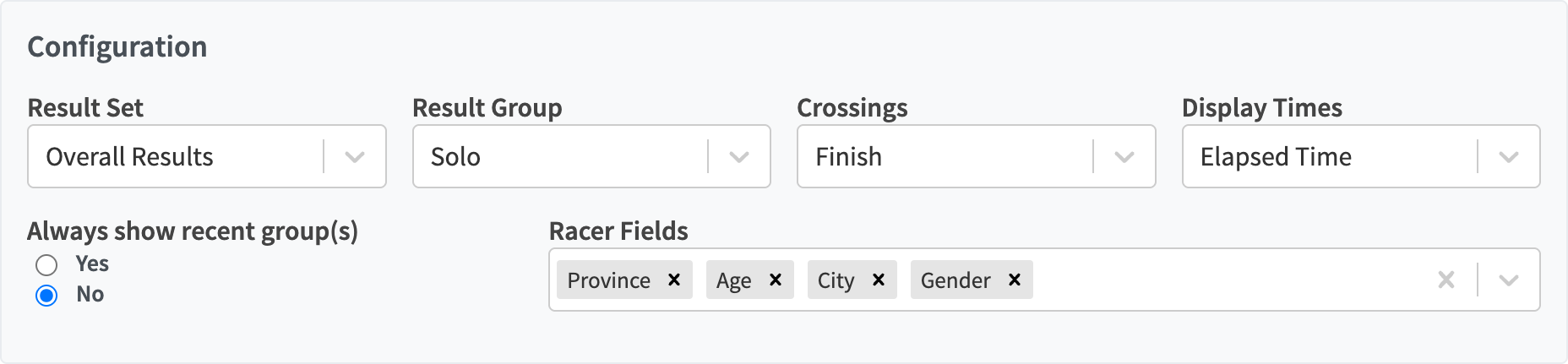 Heat races show a Heat selector instead of Crossings.
Controls
| Control | What it does |
|---|---|
| Result Set | The results format to use. |
| Result Group | The category to show, such as Senior Men. |
| Heats | Heat races: the heat to show. |
| Crossings | The split, lap or finish to rank. |
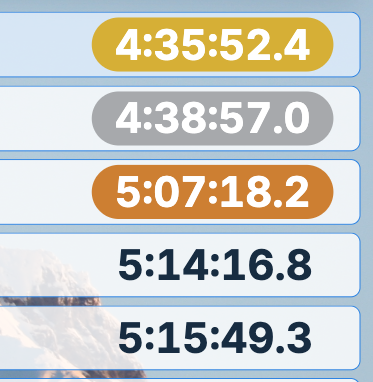
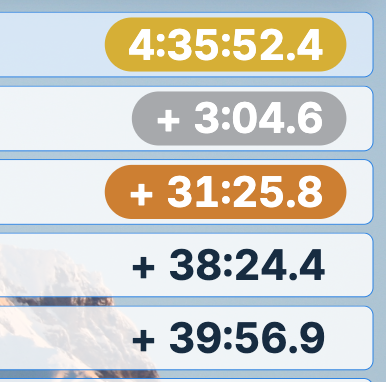
| Display Times | Elapsed Time shows each racer’s time. Delta shows the leader’s time and everyone else’s gap. |
| Always show recent group(s) | Rotates through the categories that just finished. |
| Always show most recent heat | Heat races: shows the latest finished heat. |
| Racer Fields | Extra columns, such as club or flag. |
A heat counts as finished once every racer has a time or DNS/DNF/DSQ, or a later heat has started. Racers marked DNS, DNF, DSQ or DNQ in a heat are listed with that status instead of a time.
Lucky losers
In sprint heats, racers currently in lucky-loser position have an amber row, and Lucky losers rows under the results list the round’s current lucky losers. See Lucky losers.
Paging uses Rows per Page and Cycle Time from Settings.
| Elapsed Time | Delta |
|---|---|
 |
 |