A compact live ranking over the camera video. It can follow the newest finishers, one athlete, the groups racing, or the leader.
Available in: Standard · Premium
Set it up
- Select the Result Set, Result Group and Crossing.
- Choose how many racers fit in your layout.
- Pick a bib style.
- Turn on only the automation you need.
- Test with timing data before going live.
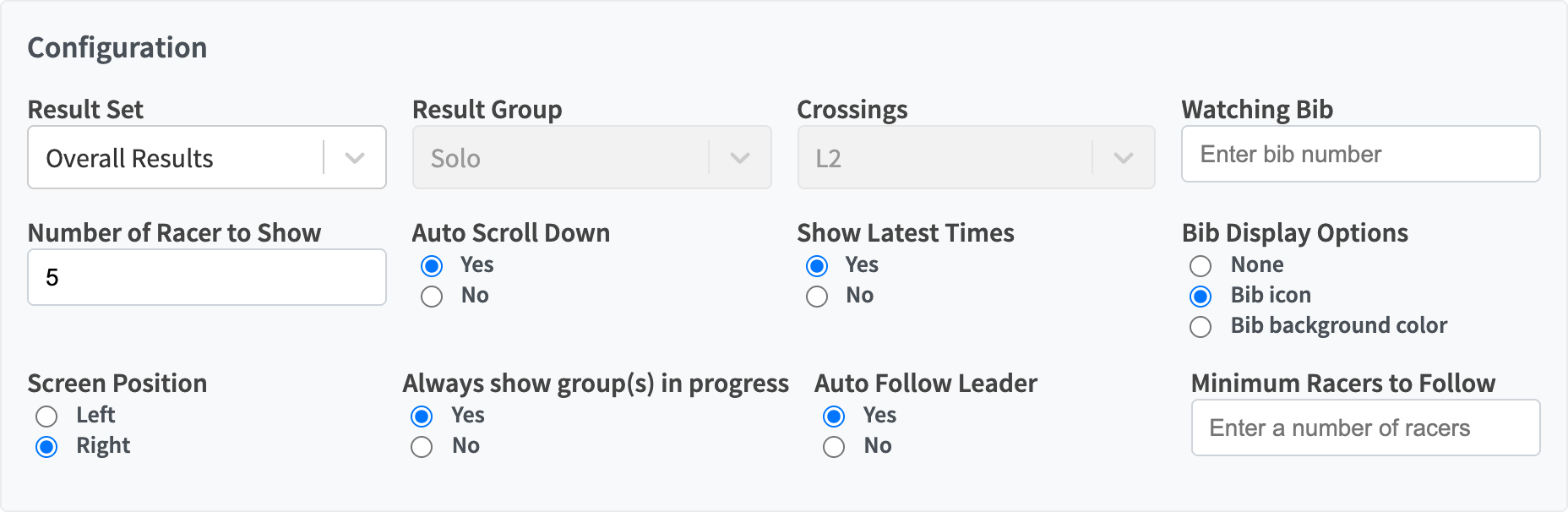 Live Splits configuration.
Controls
| Control | What it does |
|---|---|
| Result Set, Result Group | The category to rank. |
| Heats | Heat races: the heat to show. |
| Crossings | The split, lap or finish. Auto Follow Leader sets it when on. |
| Watching Bib | Keeps one racer in view, with their gap to the leader. |
| Number of Racer to Show | Rows shown, 1 to 25. |
| Auto Scroll Down | Keeps the newest finishers in view. |
| Show Latest Times | Multi-lap races: adds the latest times at this point from earlier laps, tagged with their lap. |
| Bib Display Options | None, Bib icon or Bib background color. |
| Always show group(s) in progress | Rotates through the categories racing now. |
| Always show heat in progress | Heat races: shows the next planned heat that isn’t finished. |
| Auto Follow Leader | Moves to the next crossing as the leader reaches it. |
| Minimum Racers to Follow | How many racers must reach the next crossing before Auto Follow Leader moves. |
For mass starts and heats, the header shows the race clock once the start is in.
A heat counts as finished once every racer has a time or DNS/DNF/DSQ, or a later heat has started. Racers marked DNS, DNF, DSQ or DNQ in a heat are listed with that status instead of a time. In sprint heats, racers currently in lucky-loser position have an amber row, and a card under the results lists the round’s lucky losers.
Which automation wins?
- Watching Bib keeps its athlete in view.
- Otherwise Auto Scroll Down keeps the newest finishers in view.
- Auto Follow Leader picks the crossing.
- Groups or heats in progress picks the category.
 Minimum Racers to Follow appears when Auto Follow Leader is on.
Bib styles
| Bib icon | Bib background color |
|---|---|
 |
 |
Examples
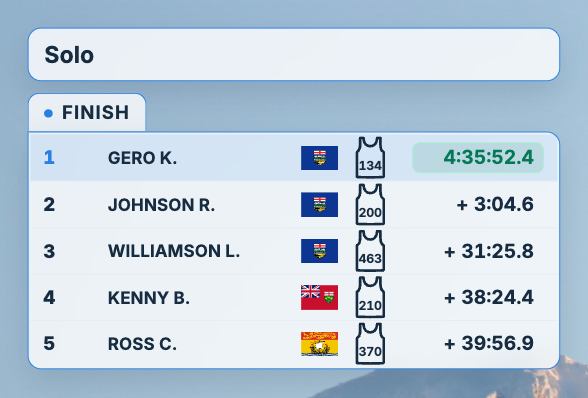 Keep the row count to what fits the camera shot.
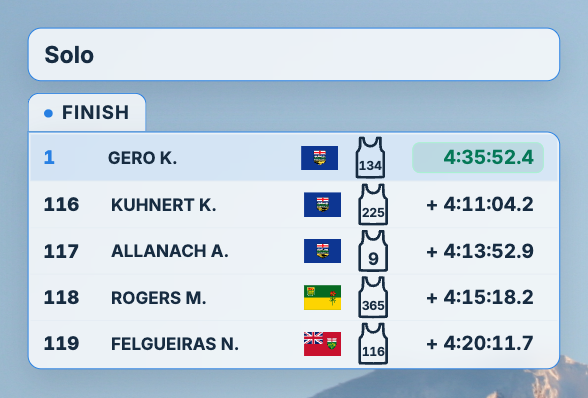 Auto Scroll Down keeps the newest finishers visible.
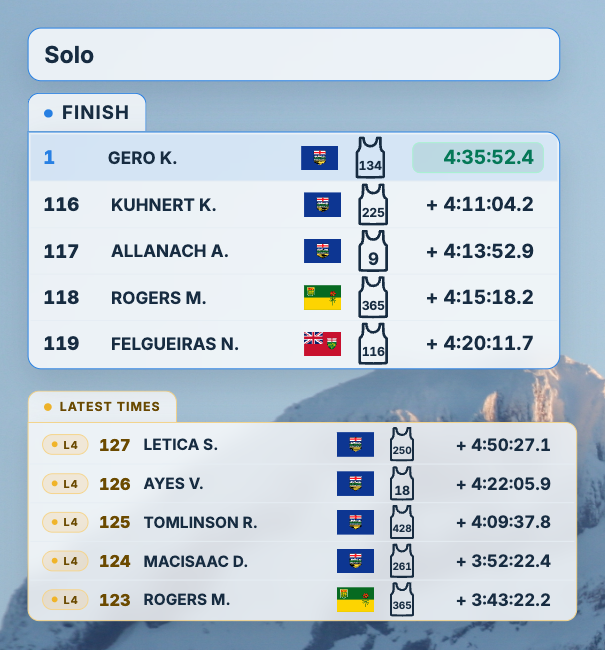 Show Latest Times adds the earlier laps below, each tagged with its lap.