---
title: Broadcast Live Splits
categories: [broadcast]
summary: "Overlay a compact live ranking on the camera video that follows the newest finishers, one athlete, the groups racing, or the leader."
updated: 2026-10-14
---
A compact live ranking over the camera video. It can follow the newest finishers, one athlete, the groups racing, or the leader.
**Available in:** Standard · Premium
## Set it up
1. Select the Result Set, Result Group and Crossing.
2. Choose how many racers fit in your layout.
3. Pick a bib style.
4. Turn on only the automation you need.
5. Test with timing data before going live.
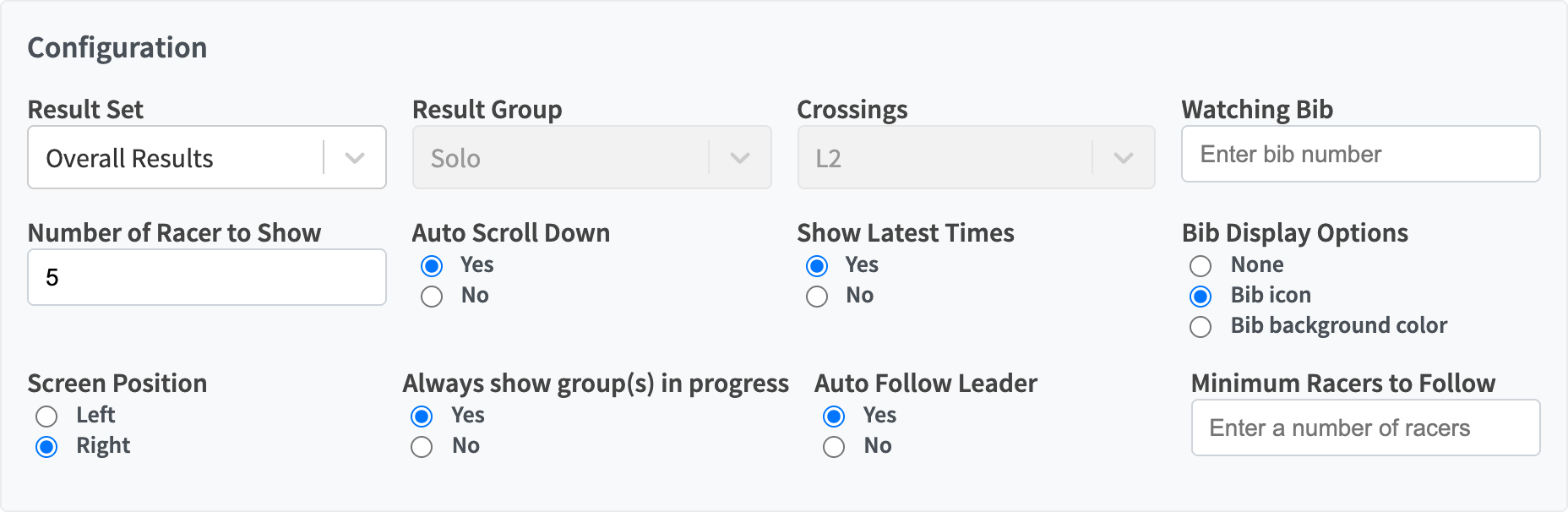
*Live Splits configuration.*
## Controls
| Control | What it does |
| --- | --- |
| Result Set, Result Group | The category to rank. |
| Heats | Heat races: the heat to show. |
| Crossings | The split, lap or finish. Auto Follow Leader sets it when on. |
| Watching Bib | Keeps one racer in view, with their gap to the leader. |
| Number of Racer to Show | Rows shown, 1 to 25. |
| Auto Scroll Down | Keeps the newest finishers in view. |
| Show Latest Times | Multi-lap races: adds the latest times at this point from earlier laps, tagged with their lap. |
| Bib Display Options | None, Bib icon or Bib background color. |
| Always show group(s) in progress | Rotates through the categories racing now. |
| Always show heat in progress | Heat races: follows the heat in progress. |
| Auto Follow Leader | Moves to the next crossing as the leader reaches it. |
| Minimum Racers to Follow | How many racers must reach the next crossing before Auto Follow Leader moves. |
## Which automation wins?
1. **Watching Bib** keeps its athlete in view.
2. Otherwise **Auto Scroll Down** keeps the newest finishers in view.
3. **Auto Follow Leader** picks the crossing.
4. **Groups or heats in progress** picks the category.
 *Minimum Racers to Follow appears when Auto Follow Leader is on.*
## Bib styles
| Bib icon | Bib background color |
| --- | --- |
|
*Minimum Racers to Follow appears when Auto Follow Leader is on.*
## Bib styles
| Bib icon | Bib background color |
| --- | --- |
|  |
|  |
## Examples
|
## Examples
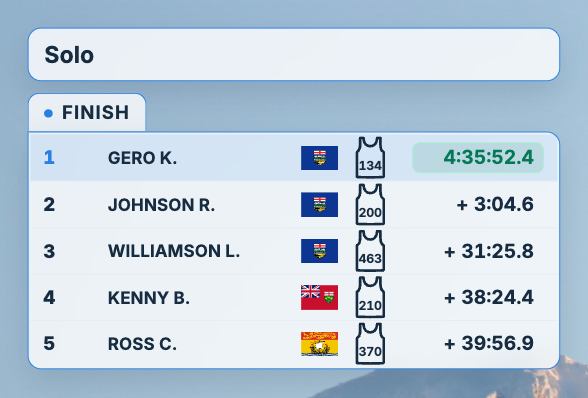 *Keep the row count to what fits the camera shot.*
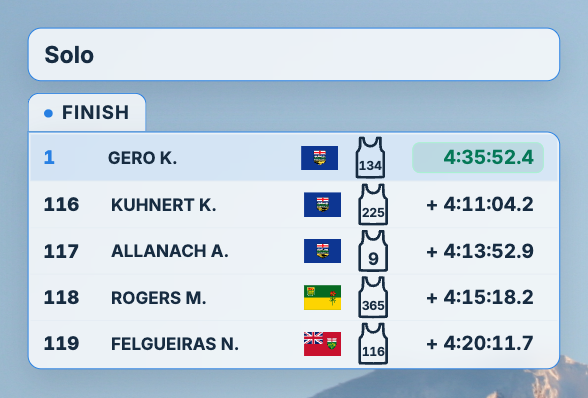 *Auto Scroll Down keeps the newest finishers visible.*
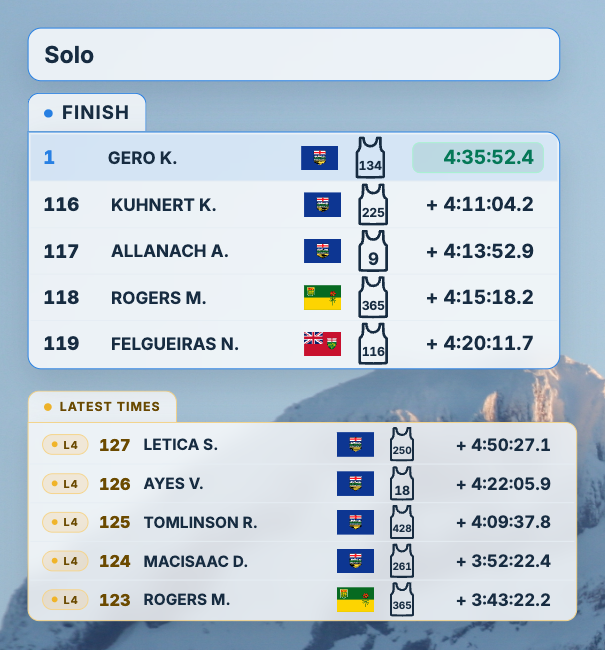 *Show Latest Times adds the earlier laps below, each tagged with its lap.*